A living map of your supply chain. Not a slide.
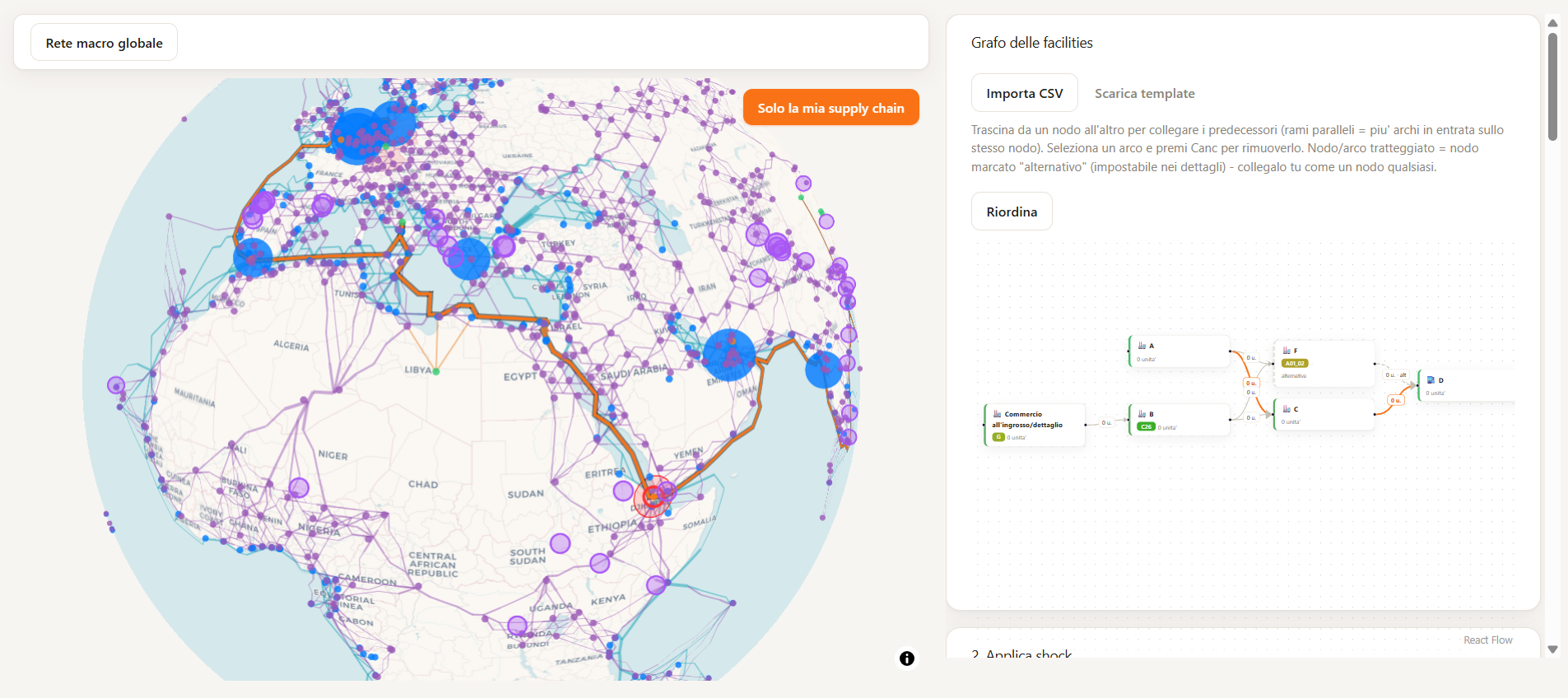
Datastripes Studio turns a list of facilities into a real geographic network — coordinates resolved, dependencies mapped, routes drawn — and keeps it live as your data changes.
The problem
Your business chain map lives in someone's memory.
Most "supply chain maps" are a slide made once, for one audit, already out of date. Datastripes Studio builds the map from your actual facility and supplier data, keeps it ready for shock simulation, and rebuilds it every time that data changes.
What it does
From a list of facilities to a real network.
Every facility, placed on the map.
Studio resolves each facility through a cascade: explicit lat/lon first, then a geocoded address, then a country-capital fallback — so the map stays complete even with incomplete source data.
Who supplies whom, checked automatically.
Studio builds the predecessor DAG from your data and runs a heuristic guard against the most common mapping mistake: supplier direction entered backwards.
Update the data, update the map.
Add a facility, close a supplier, change a route — the digital twin rebuilds in the same session, no re-import, no waiting on IT.
What you can ask
Ask as you would with a map in front of you
How it works
Three steps. No GIS license required.
Import your facilities
Bulk-import from CSV or connect your systems. Studio resolves coordinates automatically.
Review the dependency graph
The predecessor DAG is built and checked for direction errors before you rely on it.
Click, explore, reroute
Click any edge to pick an alternate route or mode, and see the network update live.
Method and reliability
Real coordinates. Real dependencies.
Facilities sit on actual coordinates, not an abstract node-and-line diagram disconnected from geography.
Your facilities, your suppliers, your tiers — mapped once, kept current every time you update the data.
Every dependency can be traced back to its source data. Compliant with EU Regulation 2024/1689, Art. 50.
For the first time, everyone in the room was looking at the same map.
Data and sovereignty
Desktop-based. Your map stays yours.
A full picture of your suppliers is competitive intelligence. Studio builds the map on your own desktop, so it never leaves it.
Related
Go deeper into your business chain.
Apply a physical or sector-wide shock and see the full route and cost impact.
Find your single points of failure with node criticality and chokepoint detection.
Compare N rerouting and shock scenarios on the same topology, side by side.
Next step
See your own network mapped.
We reply within 24 hours. Thirty minutes on your real facilities and routes.